The Buy Sell Signal Arrows Indicator for MT5 is a momentum-based trading tool that helps traders identify potential trend reversals with clear buy and sell arrows displayed directly on the price chart.
Instead of manually evaluating momentum shifts, traders receive visual signals whenever bullish or bearish momentum begins to develop.
The indicator works on every timeframe and can be used as a standalone entry tool or alongside other technical indicators to improve trade selection.
Why traders use the Buy Sell Signal Arrows Indicator
Momentum often changes before a significant price move develops.
The Buy Sell Signal Arrows Indicator automatically detects these shifts and generates easy-to-read trading signals, allowing traders to react quickly when market conditions change.
The indicator is especially effective during trending markets where momentum reversals frequently lead to continuation moves.
Another reason traders use this indicator is its flexibility.
It can be applied to Forex, indices, commodities, and cryptocurrencies while supporting multiple trading styles.
Built-in alerts and email notifications also allow traders to monitor several markets without constantly watching the charts.
Download This MT5 Indicator for Free
Indicator Chart Setup
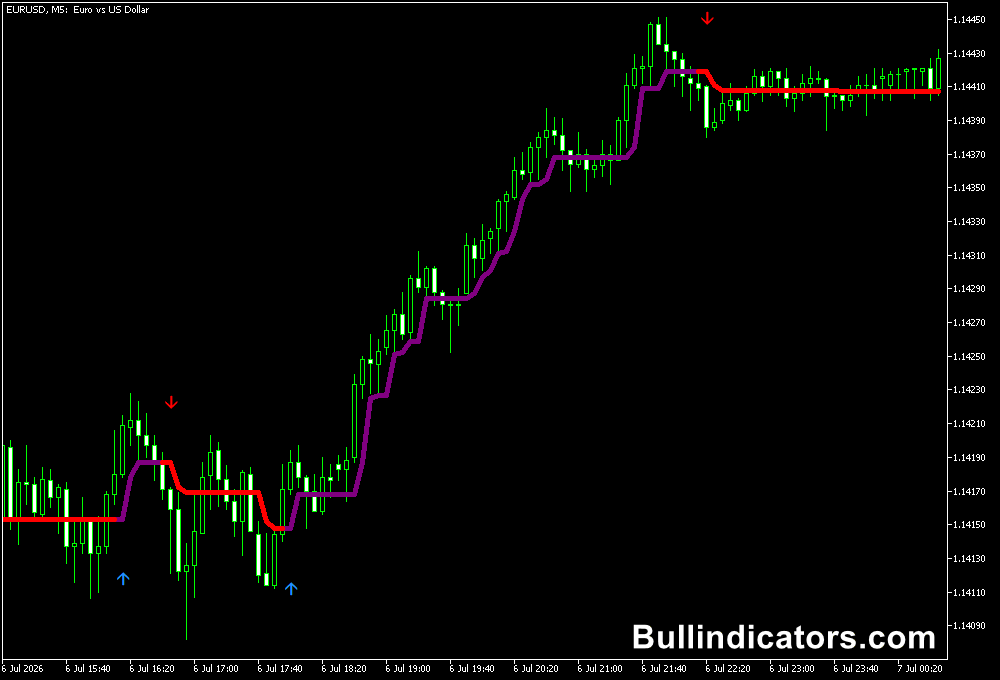
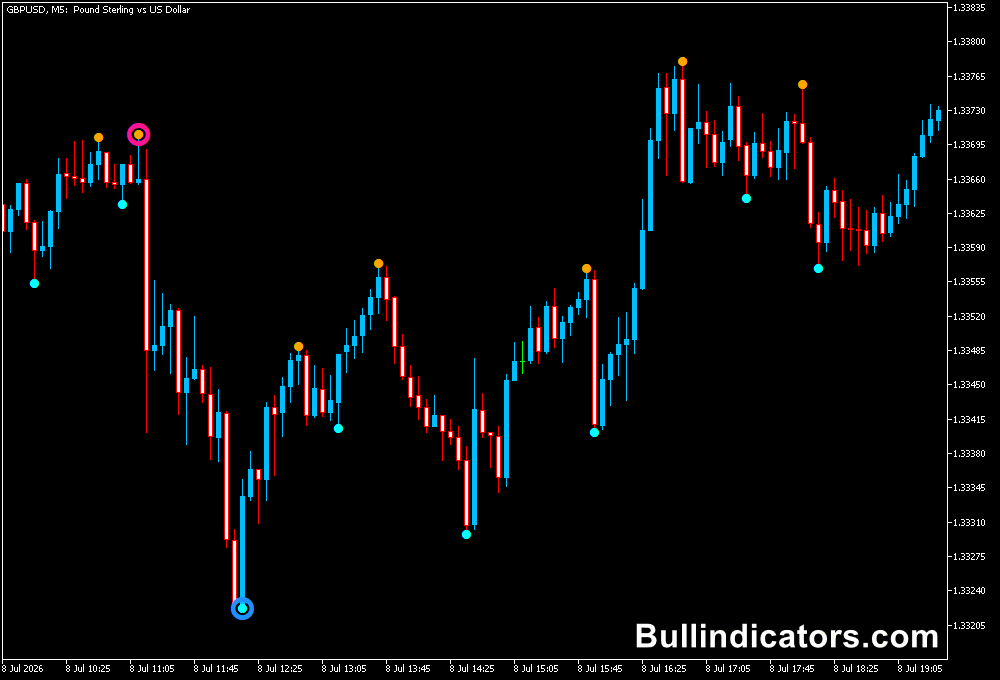
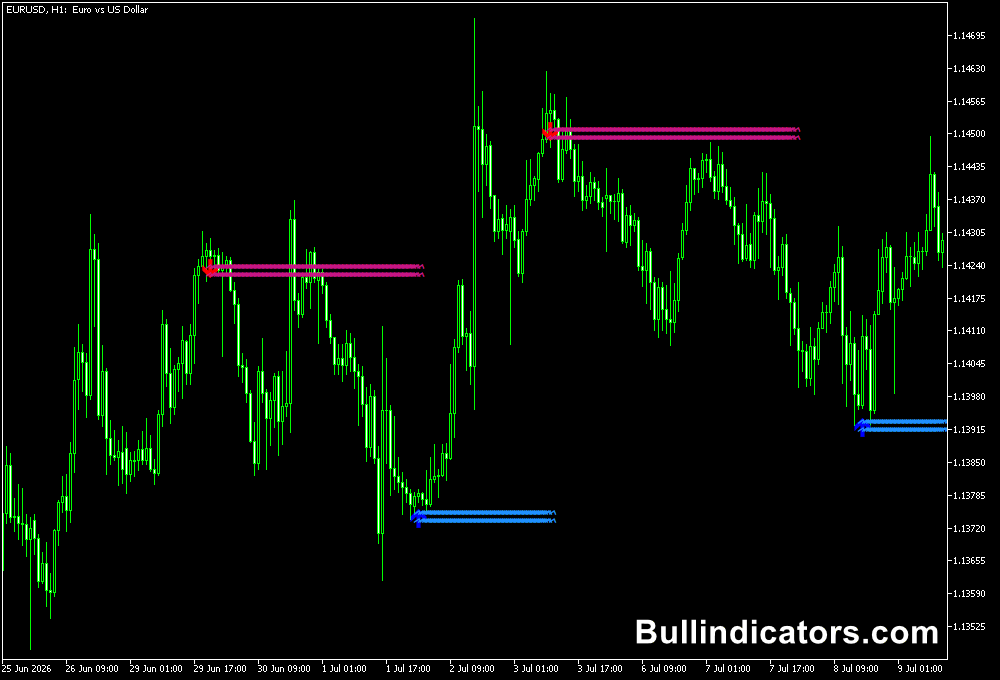
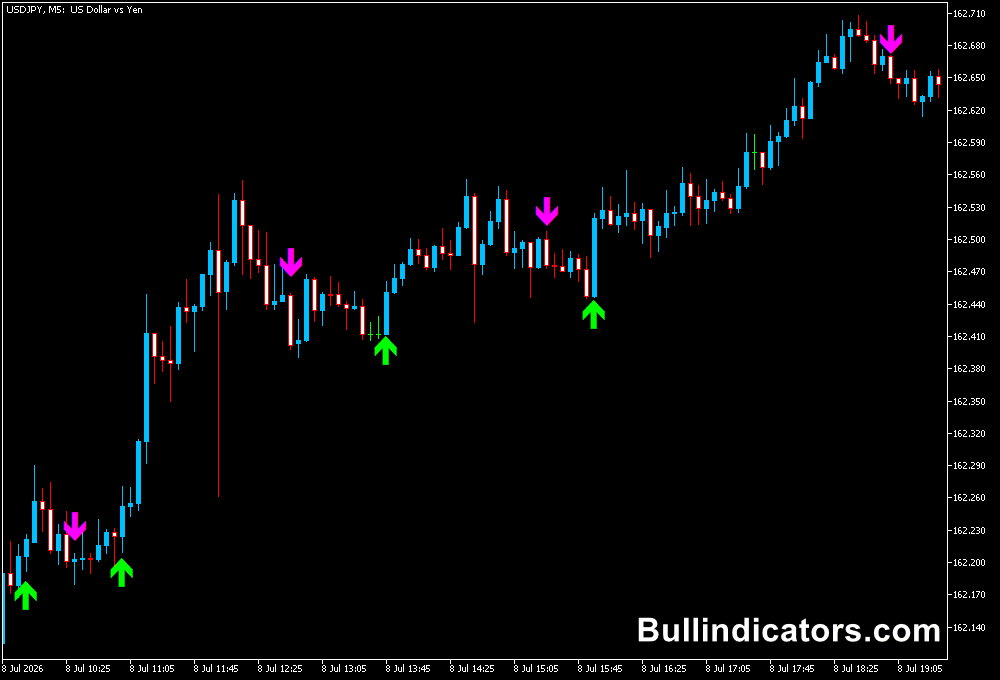
Once applied to an MT5 chart, the indicator displays upward arrows below price whenever bullish momentum reversal conditions are detected and downward arrows above price when bearish momentum develops.
The arrows appear directly on the main price window, making them easy to identify while maintaining a clear view of price action.
Traders often combine these signals with support and resistance levels or trend filters to improve trading accuracy.
Core Features
- Detects bullish and bearish momentum reversals automatically.
- Displays clear buy and sell arrows on the price chart.
- Works on every MT5 timeframe.
- Supports alert and email notifications.
- Can be combined with other technical indicators.
- Helps identify logical stop loss locations.
Best for
- Momentum reversal trading.
- Trend continuation entries.
- Trade confirmation.
- Multi-timeframe analysis.
- Filtering high-probability trade setups.
Best Markets
- Trending Forex pairs such as EUR/USD, GBP/USD, USD/JPY, and AUD/USD.
- Volatile currency pairs including GBP/JPY, GBP/NZD, EUR/JPY, and CAD/JPY.
- Gold (XAU/USD), Silver (XAG/USD), and other precious metals during strong trends.
- Major stock indices such as NASDAQ 100, DAX 40, S&P 500, and FTSE 100.
- Cryptocurrency CFDs during sustained bullish or bearish momentum.
Trading Styles
- Scalping on M1 and M5 charts during active market sessions.
- Intraday trading on M15 and H1 timeframes.
- Swing trading on H4 and Daily charts.
- Trend-following strategies using pullback entries.
- Momentum trading during breakout opportunities.
How traders use it
Most traders use the Buy Sell Signal Arrows Indicator as a confirmation tool instead of trading every signal independently.
A common approach is to trade only in the direction of the prevailing trend.
For example, traders may wait for an upward arrow after a pullback during an uptrend before entering a long position.
Likewise, a downward arrow can confirm short opportunities during a downtrend.
Stop losses are commonly placed beyond the most recent swing high or swing low while exits are taken when the trend changes or an opposite signal appears.
Example Strategy Using the MACD
A popular way to improve the accuracy of the Buy Sell Signal Arrows Indicator is by combining it with the MACD.
Traders first use the MACD to confirm the overall momentum before acting on an arrow signal.
A buy trade is considered when an upward arrow appears and the MACD line is above the signal line or the histogram is above zero, indicating bullish momentum.
A sell trade is considered when a downward arrow appears while the MACD line is below the signal line or the histogram is below zero.
This simple confirmation technique helps filter weaker signals and focuses on trades that align with the prevailing market momentum.
Get Instant Free Access
Indicator Settings
- Number of bars used for momentum calculations.
- Distance between evaluated price bars.
- Buy arrow display options.
- Sell arrow display options.
- Alert notification settings.
- Email notification settings.
Important Notes
- Performs best during established market trends.
- Combine signals with support and resistance for additional confirmation.
- Confirm entries with the MACD by trading only when both indicators agree on market direction.
- Improve signal quality by trading only in the direction of the higher timeframe trend.
- Always apply proper risk management and place stop losses beyond recent swing levels.
- Sideways markets may produce more false signals than trending conditions.