The Stochastic Cross Alert Signal indicator for MetaTrader 5 is a simple but effective momentum tool that converts traditional Stochastic crossover signals into easy-to-read arrows directly on the price chart.
Instead of constantly monitoring the oscillator window, traders can quickly identify potential bullish and bearish opportunities through visual signals.
The indicator is based on the classic Stochastic oscillator, which measures the strength of price momentum and highlights possible turning points through overbought and oversold conditions.
When the %K and %D lines cross, the indicator generates an arrow signal, helping traders recognize potential entry opportunities faster.
Although the indicator is easy to use, Stochastic signals can appear frequently during ranging markets.
Combining it with a trend filter such as the Supertrend Indicator for MT5 can help remove weaker signals and focus on trades that follow the dominant market direction.
Why Traders Use the Stochastic Cross Alert Signal Indicator
Many traders like the Stochastic oscillator because it reacts quickly to momentum changes.
The challenge is that manual monitoring can result in missed signals, especially when watching multiple currency pairs.
This indicator solves that problem by displaying crossover signals directly on the chart and providing optional alerts.
The arrow-based design makes the tool suitable for beginners, while experienced traders can use it as an additional confirmation method within larger trading strategies.
It works well for identifying pullbacks, momentum shifts, and short-term trading opportunities.
Download This MT5 Indicator for Free
Download stochastic-cross-alert-sig-overlay-m-cw.ex5 Indicator
Indicator Chart Setup
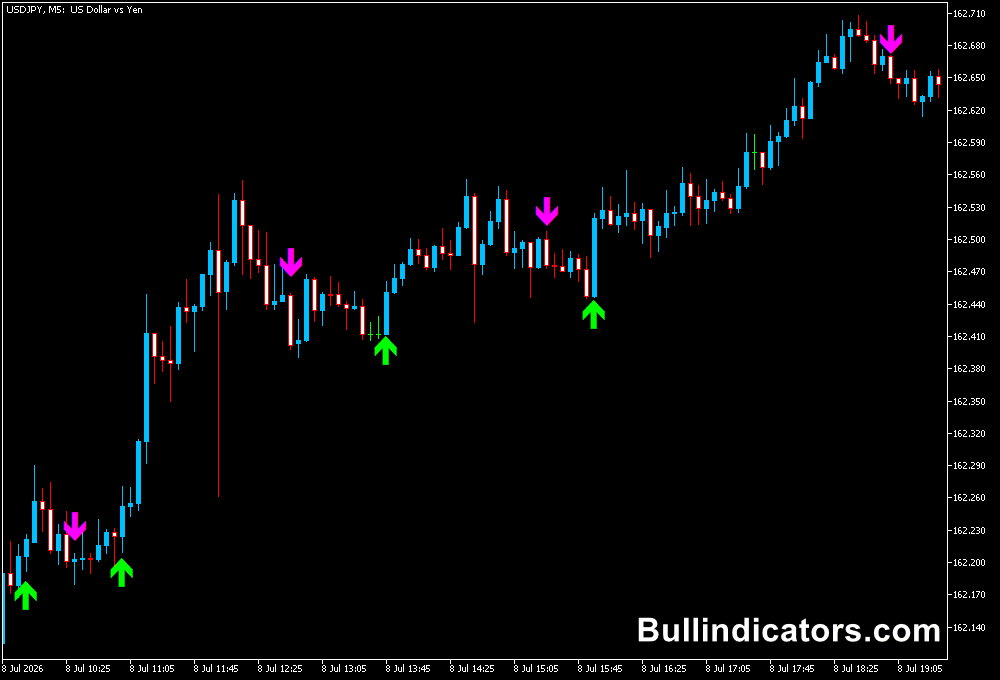
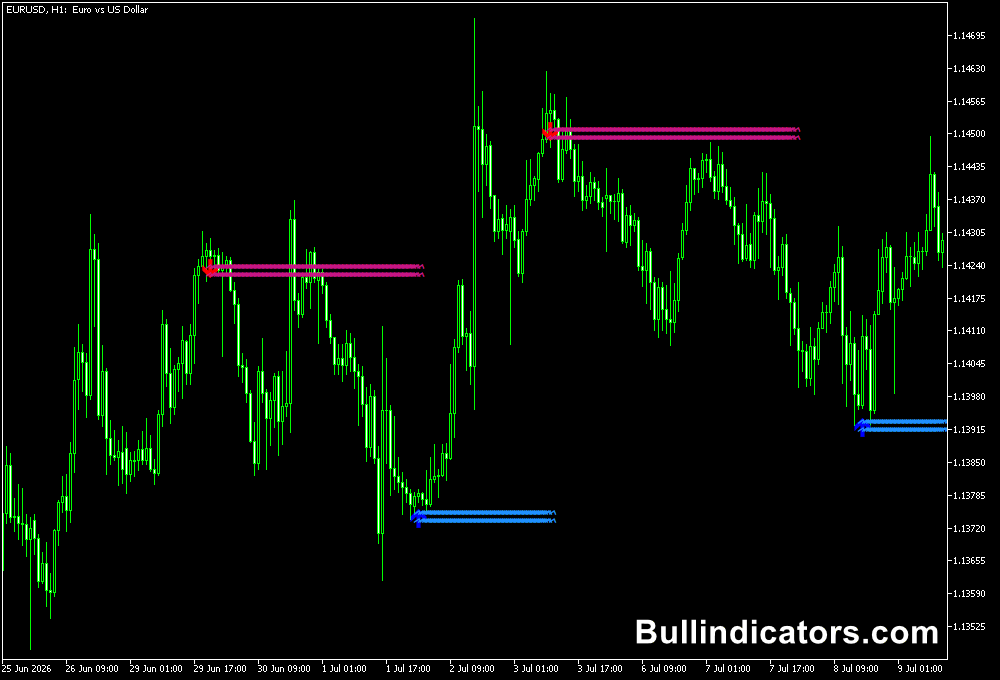
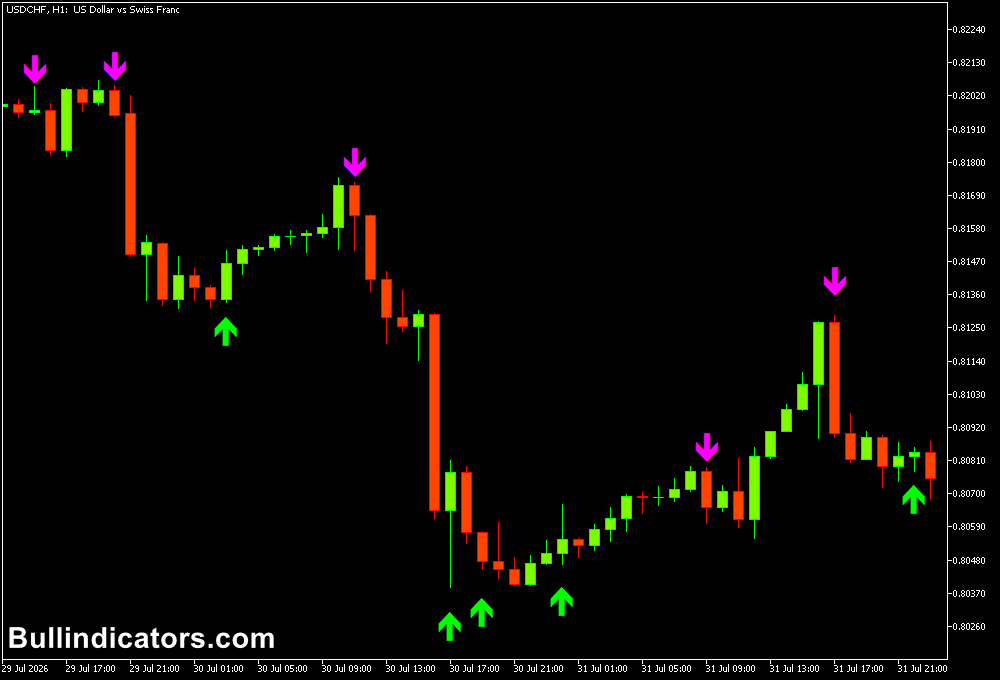
The indicator places arrows directly above and below price candles whenever a Stochastic crossover occurs.
Green arrows represent potential bullish signals, while purple arrows indicate possible bearish momentum.
The signals appear on the main chart window, allowing traders to combine them with price action analysis without switching between indicators.
The number of signals can be adjusted by changing the Stochastic calculation settings, making the indicator suitable for both fast scalping strategies and slower trend-based approaches.
Core Features
- Displays Stochastic crossover signals directly on the chart.
- Uses easy-to-read bullish and bearish arrows.
- Includes customizable Stochastic parameters.
- Provides optional sound and email alerts.
- Works on all MT5 currency pairs and financial markets.
- Suitable for scalping and intraday trading.
Best for
- Momentum-based trading strategies.
- Finding short-term entry points.
- Confirming pullback opportunities.
- Trading reversals from overbought and oversold areas.
- Combining with trend indicators for stronger signals.
Best Markets
- EURUSD for smooth intraday momentum movements.
- GBPJPY where fast momentum shifts create frequent setups.
- EURJPY for short-term trend continuation trades.
- GBPUSD during London session volatility.
- XAUUSD (Gold) for quick momentum-based entries.
- NAS100 during strong directional sessions.
Trading Styles
- Scalping on M1 and M5 charts.
- Intraday trading on M15 and H1 timeframes.
- Trend continuation strategies.
- Momentum pullback trading.
- Multi-timeframe confirmation setups.
How Traders Use It
The Stochastic Cross Alert Indicator becomes more effective when combined with a trend-following tool.
A useful combination is the Supertrend Indicator for MT5, where the Supertrend cloud defines the overall market direction and the Stochastic crossover provides the entry timing.
Strategy: Stochastic Cross Alert + Supertrend Indicator
The green Supertrend cloud indicates bullish conditions, while the brown cloud signals bearish momentum.
Traders only take Stochastic signals that match the Supertrend direction, reducing the number of counter-trend trades.
BUY Setup
- Use the M1 or M5 timeframe for scalping.
- Wait until the Supertrend cloud turns green, confirming a bullish trend.
- Ignore bearish Stochastic arrows while the bullish trend remains active.
- Wait for a green bullish arrow from the Stochastic Cross Alert Indicator.
- Confirm that price is showing bullish momentum before entering.
- Place the stop loss below the previous swing low.
- Take profit at the next resistance level or when an opposite signal appears.
SELL Setup
- Use the M1 or M5 timeframe for scalping.
- Wait until the Supertrend cloud turns brown, confirming a bearish trend.
- Ignore bullish Stochastic arrows during the bearish trend.
- Wait for a purple bearish arrow from the Stochastic Cross Alert Indicator.
- Enter a SELL trade after bearish price confirmation.
- Place the stop loss above the previous swing high.
- Exit at the next support level or when a bullish signal appears.
This combination allows traders to use the Supertrend Indicator as a market direction filter while the Stochastic Cross Alert Indicator provides more precise entry timing.
Get Instant Free Access
Download stochastic-cross-alert-sig-overlay-m-cw.ex5 for MT5
Indicator Settings
- K Period: Main calculation period for the Stochastic indicator.
- D Period: Moving average period used for the Stochastic signal line.
- Slowing: Controls the smoothing factor of the Stochastic calculation.
- MA Method: Selects the moving average calculation method.
- Price Field: Defines the price source used by the indicator.
- Overbought: Sets the upper Stochastic extreme level.
- Oversold: Sets the lower Stochastic extreme level.
- Alerts: Enables or disables sound and email notifications.
Important Notes
- Stochastic signals can be frequent during sideways markets.
- Use trend confirmation to avoid weak crossover signals.
- Strong trends can keep the indicator in extreme zones for extended periods.
- Higher timeframe signals generally provide stronger confirmation.
- Always combine signals with proper risk management.
- Test different settings to match your preferred trading timeframe.