The Pipsometer 5 Decimal indicator for MT5 is a practical chart tool designed to show how many pips an open trading position has moved in real time.
It provides a simple way to monitor the distance covered by an active position without repeatedly calculating the difference between the entry price and current market price.
The indicator is particularly useful for five-decimal Forex quotes, where price movements can be harder to interpret quickly.
Once applied to an MT5 chart, Pipsometer displays the current pip movement of open positions and updates as the market changes.
It is intended for monitoring existing trades rather than calculating the potential pip distance of a new order.
Why traders use Pipsometer 5 Decimal
Knowing the exact pip movement of an open position can make short-term trade management easier.
Pipsometer provides this information directly on the chart, allowing users to monitor whether a position is moving toward its intended target or losing ground.
The tool can be useful for scalping, intraday trading and swing trading.
It is also helpful when managing several positions because the pip movement can be checked without manually measuring each trade.
The straightforward display makes it suitable for both newer MT5 users and experienced traders who want a quick position-monitoring tool.
Download This MT5 Indicator for Free
Indicator Chart Setup
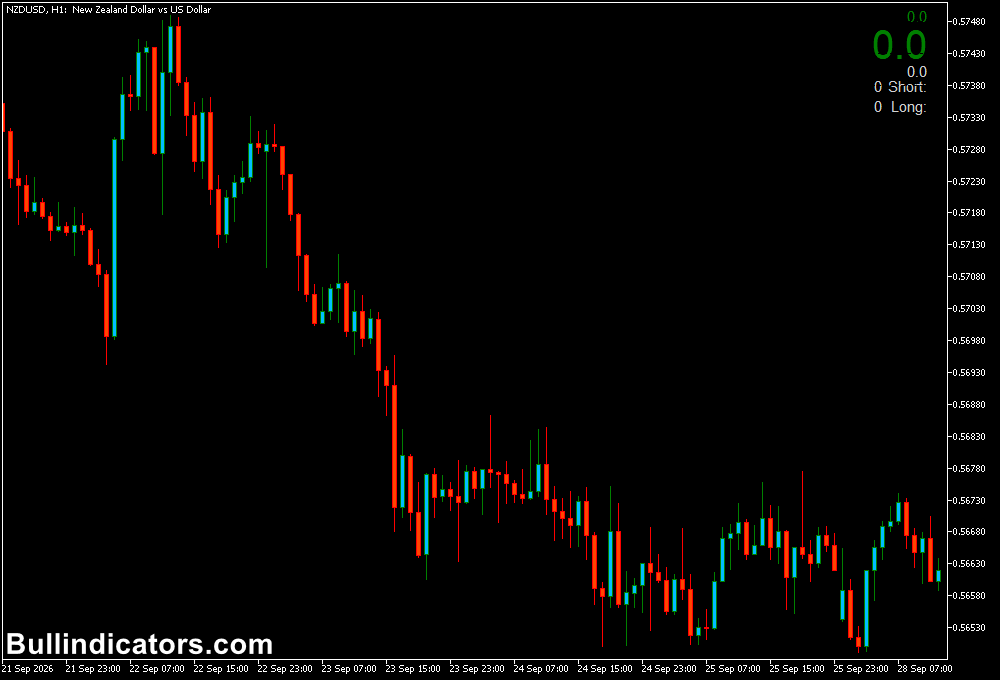
Pipsometer 5 Decimal is placed on the MT5 chart and displays the pip movement associated with the current open position.
The value changes as the market price moves, making it possible to follow the progress of a trade in real time.
For example, if an EURUSD buy position moves 3 pips below its entry price, the indicator can show the negative pip movement.
If price subsequently rises 8 pips above the entry level, the displayed value reflects the new positive movement.
This provides a clear reference while the position remains open.
Core Features
- Real-time pip movement display
- Designed for five-decimal Forex pricing
- Monitors open trading positions
- Updates as market price changes
- Optional monitoring across all symbols
- Adjustable chart corner position
- Customizable display colors
Best for
- Monitoring open Forex positions
- Tracking scalping targets in pips
- Following intraday trade progress
- Checking the current distance from an entry price
- Managing multiple open positions more conveniently
Best Markets
- EURUSD, GBPUSD and USDJPY for regular pip-based position management.
- GBPJPY and EURJPY when monitoring larger intraday price movements.
- Major Forex pairs with five-decimal pricing for straightforward pip tracking.
- Other MT5 symbols can be monitored when the instrument and position are supported by the platform.
Trading Styles
- Scalping on M1 and M5 where a few pips can determine whether a target has been reached.
- Intraday trading on M5, M15 and H1 for monitoring developing positions.
- Day trading on H1 and H4 when tracking larger pip objectives.
- Swing trading on H4 and D1 when monitoring extended open positions.
How traders use it
Pipsometer is primarily a trade-management tool rather than an entry-signal indicator.
After opening a position using a separate trading strategy, users can apply the indicator to the chart and monitor the current pip movement as price changes.
For example, a scalper trading EURUSD on M1 may enter a buy position after a technical setup and establish a 10-pip target.
As the position develops, Pipsometer can show whether the trade is +3, +7, or +10 pips.
Once the target area is reached, the trader can manage the position according to the original trading plan.
The same principle applies to losing positions.
If a trade moves -4 pips, -7 pips or -10 pips, the indicator makes the current pip distance visible.
The stop loss should still be determined before or at the time of entry based on the trading strategy and market structure.
Get Instant Free Access
Indicator Settings
- All symbols: Enables or disables monitoring across all symbols.
- Corner: Defines which corner of the MT5 chart is used to display the indicator.
- Colors: Controls the colors used for the indicator’s on-chart display.
Important Notes
- Pipsometer is designed to display the pip movement of an open position.
- It is not designed to calculate the expected pip distance of a proposed trade before entry.
- The displayed value changes as the market price moves.
- For scalping, spread and execution costs should be considered when setting pip targets.
- The indicator does not provide entry, exit or trading-direction signals.
- Use an appropriate trading strategy to determine entries, stop losses and profit targets.