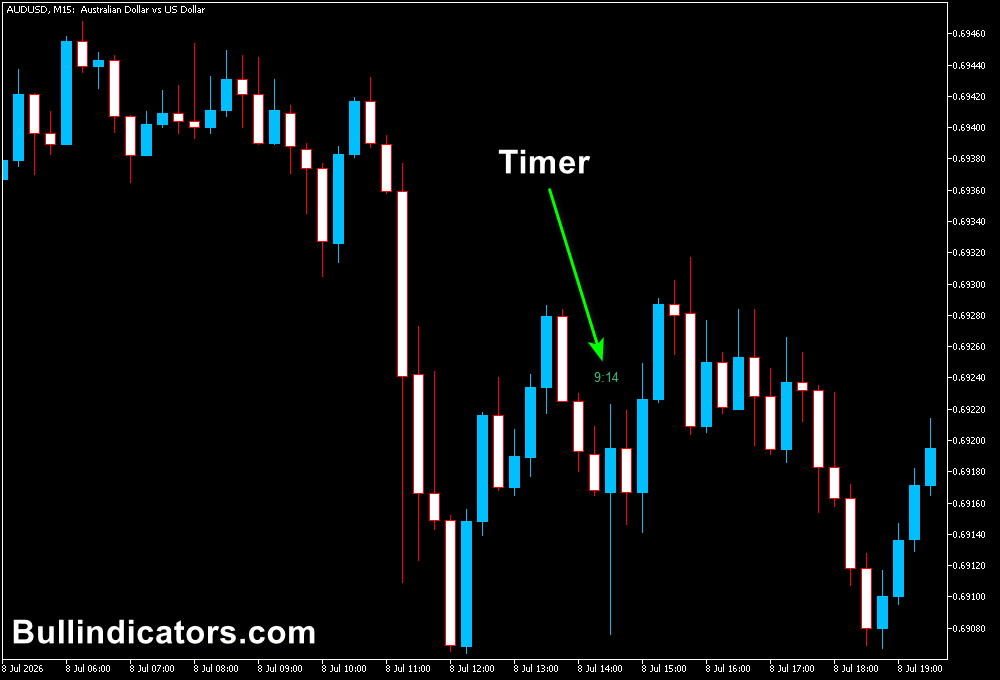
The Candle Time and Spread indicator for MT5 is a practical trading utility designed to display two important pieces of market information directly on your chart: the remaining candle time and the current spread value.
For short-term traders, timing and execution costs can have a major impact on trading results.
Knowing exactly when a candle will close helps with entry timing, while monitoring the spread allows you to avoid unfavorable trading conditions caused by sudden increases in transaction costs.
This lightweight MT5 tool does not generate buy or sell signals.
Its purpose is to provide real-time market information that helps you make better decisions when applying your own trading strategy.
The indicator is especially useful for scalpers and day traders using lower timeframes such as M1, M5, and M15, where candle timing and spread fluctuations can strongly influence trade execution.
Why traders use the Candle Time and Spread Indicator
Timing plays an important role in short-term trading.
A candle closing can confirm a breakout, complete a reversal pattern, or provide confirmation for a technical setup.
The candle timer allows you to know exactly how much time remains before the current candle finishes.
The spread display adds another layer of trade management.
During active sessions, spreads are usually lower, but during market gaps, low liquidity periods, or important news events, spreads can expand quickly.
Scalpers benefit the most from this indicator because they often target small price movements where even a small spread increase can affect the risk-to-reward ratio.
Day traders can also use it to monitor execution conditions before entering intraday positions.
Download This MT5 Indicator for Free
Indicator Chart Setup
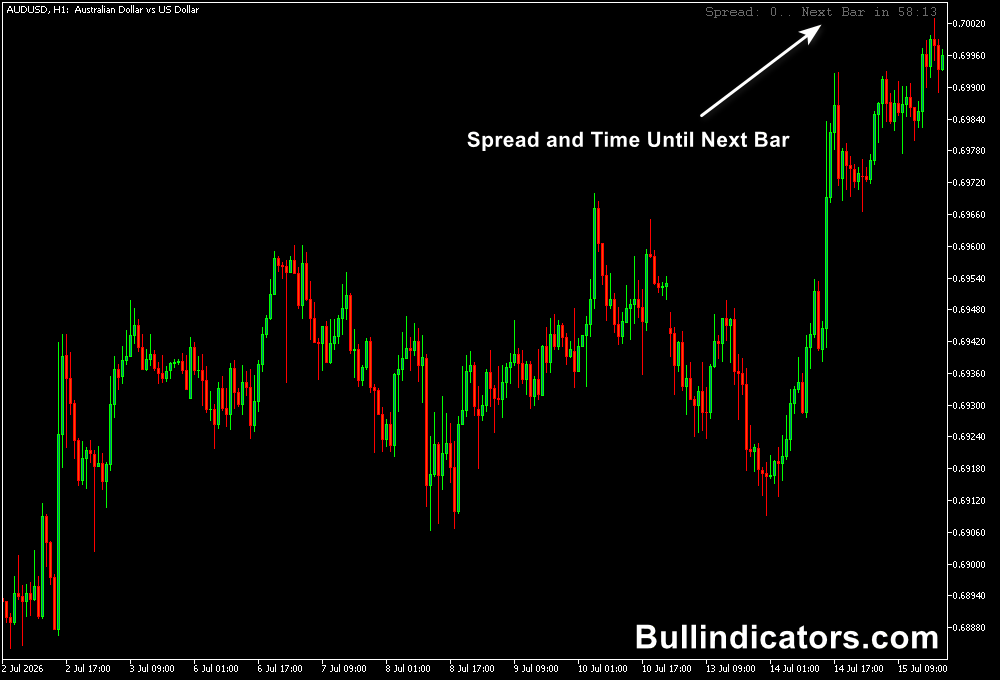
After attaching the indicator to an MT5 chart, the information panel appears directly on the trading screen.
The display shows the remaining time before the current candle closes and the current spread value of the selected instrument.
The spread is updated in real time based on the broker’s server data, while the candle timer follows server time rather than your local computer clock.
This ensures that the countdown remains synchronized with the trading platform.
The simple design keeps the chart clean and allows you to focus on price action while still having essential trading information available.
Core Features
- Displays the remaining candle closing time
- Shows real-time spread information
- Uses broker server time for accurate timing
- Lightweight indicator with minimal resource usage
- Works on multiple MT5 timeframes
- Customizable display position and colors
Best for
- Scalping strategies
- Intraday trade timing
- Monitoring execution conditions
- Breakout confirmation
- News trading preparation
Best Markets
- EUR/USD and GBP/USD for low-spread trading
- USD/JPY during active market sessions
- Gold (XAU/USD), where spreads can change quickly
- NAS100 and other volatile indices
- Major Forex pairs during London and New York sessions
- Markets where precise entry timing is important
Trading Styles
- M1, M5, and M15 scalping
- Day trading strategies
- Breakout trading
- News event monitoring
- Price action setups
- Short-term momentum trading
How traders use it
The Candle Time and Spread Indicator is mainly used as a supporting tool alongside an existing trading strategy.
It does not predict market direction but provides useful information that can improve trade timing.
For scalping on M1, M5, or M15 charts, the candle timer can help determine whether a setup is close to confirmation.
For example, if a trader is waiting for a breakout candle to close above resistance, the countdown shows exactly how much time remains before the breakout is confirmed.
The spread display helps avoid entering during unfavorable conditions.
If a scalper normally trades EUR/USD with a spread of 0.5 pips but notices the spread has expanded to 2 pips, waiting for normal conditions can protect the trade from unnecessary costs.
Day traders can also use the indicator during market sessions where volatility changes quickly.
Before entering a position after a technical signal, checking the current spread ensures that execution costs remain acceptable.
News traders may find the tool useful before and after major economic announcements.
Spreads often widen around important releases, and monitoring the spread can help determine when market conditions return to normal.
Get Instant Free Access
Indicator Settings
- Corner: Selects the position where the information panel appears on the MT5 chart.
- Colors: Allows customization of the text and display appearance.
Important Notes
- The indicator provides market information and does not create trading signals.
- Spread values depend on broker conditions and market liquidity.
- The tool is especially valuable for lower timeframe traders.
- Scalpers should always monitor spread conditions before opening positions.
- For swing trading on H1, H4, or Daily charts, spread monitoring is usually less critical because trades target larger price movements.