The Time Zone indicator for MT5 is a useful market session tool designed to display the main forex trading sessions directly on the chart.
It shows the active market session, including Sydney, Tokyo, London, and New York, helping traders understand when liquidity and volatility are likely to increase.
The forex market operates 24 hours a day from Monday to Friday, but price movement is not equal throughout the entire day.
Each trading session has different characteristics, volume levels, and market behavior.
The Time Zone Indicator makes it easier to identify these periods without manually calculating session times.
This indicator is especially useful for scalpers, day traders, and anyone who uses session-based strategies.
By knowing when major markets open and overlap, users can better plan their entries, exits, and trading activity.
Why Traders Use the Time Zone Indicator
Market activity changes significantly depending on the active financial centers around the world.
The Asian session often has slower movements, while the London and New York sessions usually bring stronger liquidity and larger price fluctuations.
The Time Zone Indicator helps remove confusion about session timing by displaying the current trading session directly on the MetaTrader 5 chart.
This allows users to quickly identify whether the market is in a quiet period or an active trading window.
Many Forex strategies depend on timing. Breakout systems, momentum strategies, and scalping methods often perform better during periods with higher liquidity.
The London and New York session overlap is one of the most watched periods because increased participation can create stronger price movements.
Download This MT5 Indicator for Free
Indicator Chart Setup
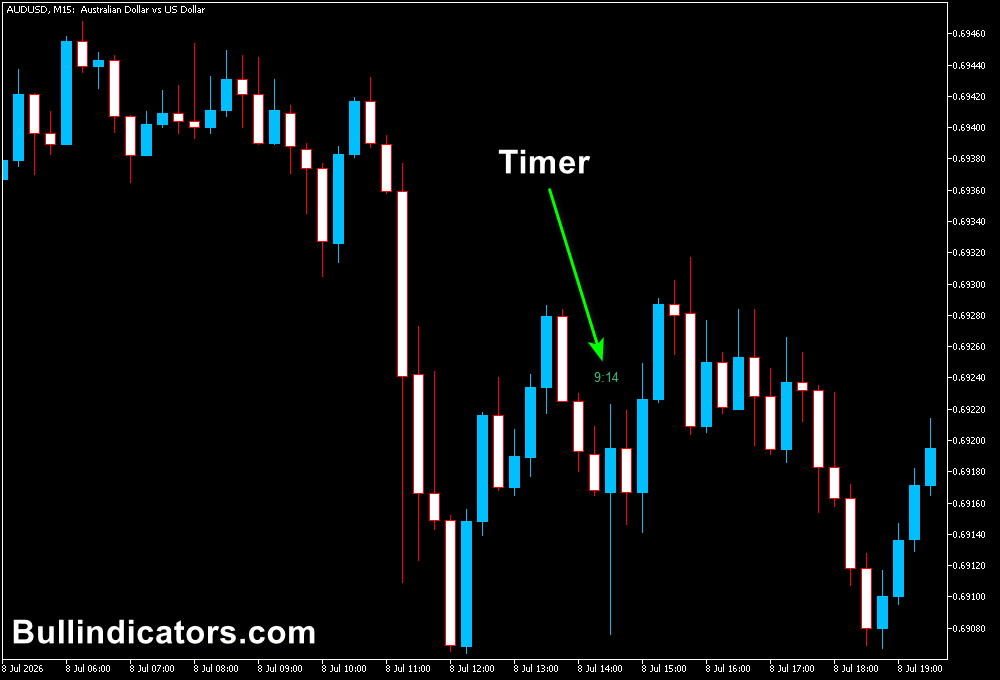
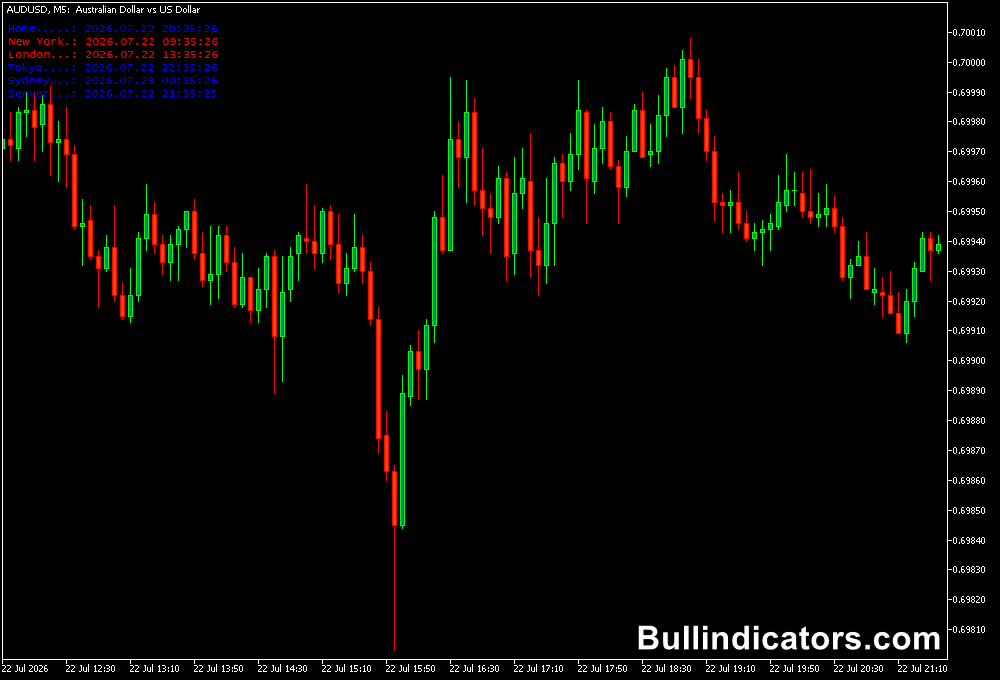
After installing the Time Zone Indicator on a MetaTrader 5 chart, the current forex session is displayed directly on the chart.
The indicator shows the main market sessions and highlights the active session with a different color.
For example, when the Sydney session is active, the indicator will display this information on the chart.
As the market moves into Tokyo, London, or New York trading hours, the displayed session automatically updates.
This makes it easier to monitor market activity without opening external forex session clocks or manually converting time zones.
Core Features
- Displays Sydney, Tokyo, London, and New York sessions.
- Shows the current active trading session.
- Helps identify high and low liquidity periods.
- Works on all MT5 timeframes.
- Useful for session-based trading strategies.
- Simple chart-based forex session visualization.
Best for
- Forex scalping strategies.
- Day trading sessions.
- Breakout trading.
- Momentum strategies.
- News-based market analysis.
- Multi-session forex monitoring.
Best Markets
- EUR/USD and GBP/USD during London and New York sessions.
- USD/JPY during Tokyo market hours.
- AUD/USD and NZD/USD during Asian sessions.
- Gold (XAU/USD) during high liquidity periods.
- Major indices during European and US sessions.
- Cryptocurrency markets with 24-hour activity.
Trading Styles
- M1 and M5 scalping during London and US session overlap.
- M15 intraday momentum trading.
- H1 trend strategies around session openings.
- Breakout trading after major session transitions.
- News trading preparation.
- Multi-timeframe analysis.
How Traders Use It
The Time Zone Indicator is mainly used to understand when the market is most active.
A common approach is focusing on the London session and the London-New York overlap because these periods often provide increased volume and stronger price movement.
For example, a scalper may wait for the London session to open before looking for breakout opportunities on the M5 chart.
The same strategy may produce fewer opportunities during the quieter Asian session because price often moves within a smaller range.
The indicator can also help with trade management.
If a position is open before a major session closes, users can monitor whether liquidity is decreasing and decide whether to secure profits or adjust risk.
Combining session timing with technical analysis can create stronger setups.
For example, a trend indicator, support and resistance level, or price action pattern becomes more meaningful when it appears during an active trading session with sufficient market participation.
Get Instant Free Access
Indicator Settings
- Font: Selects the font style used for displaying session information.
- Font Size: Adjusts the size of the indicator text on the chart.
- Font Color: Changes the color of the displayed session information.
Important Notes
- The indicator does not generate buy or sell signals.
- Use session information together with technical analysis.
- The London and New York overlap often provides increased market activity.
- Different currency pairs perform better during specific sessions.
- Always consider volatility and risk before entering a trade.
- The indicator is suitable for forex, indices, commodities, and other markets available on MT5.